
Blue Screen of Death
The dreaded Blue Screen of Death (BSOD) can occur due to both software and hardware problems, but usually, it’s a hardware problem. Whatever the cause, BSOD requires immediate attention, as it’s a sign of a big problem.
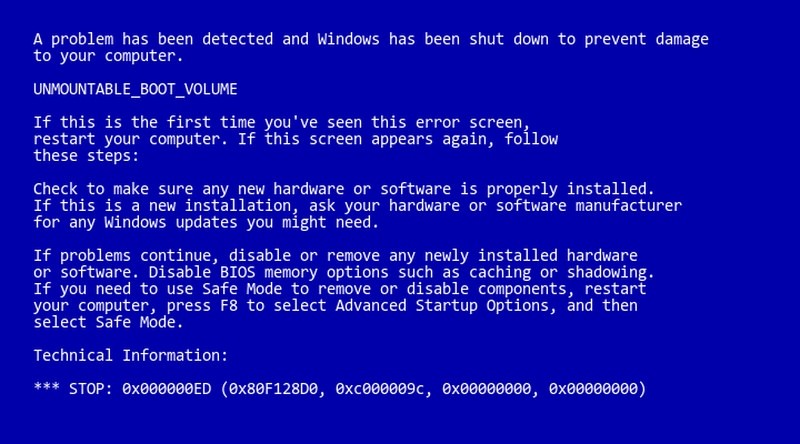
Below are some common reasons for BSOD and their solutions.
- Corrupted drivers
A corrupt driver may be the cause of BSOD. To find that out, use the following steps:
- Open Device Manager by typing devmgmt.msc in the Run.
- Here expand each menu and look for a yellow triangle icon next to each driver.
- If you find any, right-click on it and select Update Driver Software to update its driver.
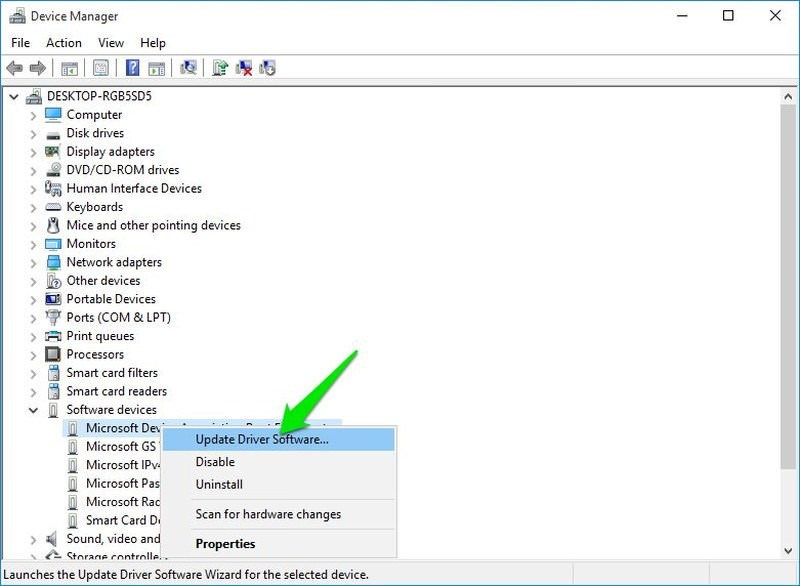
You can also use a third-party app like IObit Driver Booster to automatically find and fix driver problems.
- Too much pressure on the RAM
If you open too many programs that RAM can’t handle, then it may freeze the system and show BSOD. For that, you should either stop opening too many programs or upgrade the RAM.
- Faulty hard disk
BSOD is also a sign of a dying hard disk, use the instructions in problem #11 above to identify hard disk problems.
- Heating PC
Heating PC also leads to BSOD if too much pressure is put on the components. Use the instruction in problem #1 to solve it.