
How to update macOS on your Mac
1. Go to Apple menu
Open the Apple menu in the top-left corner of the screen

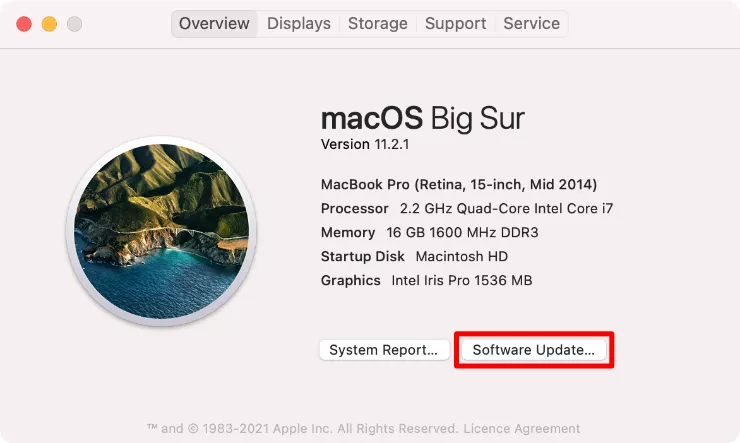
2. Select Software Update option
Click About This Mac, then click Software Update in the window that opens
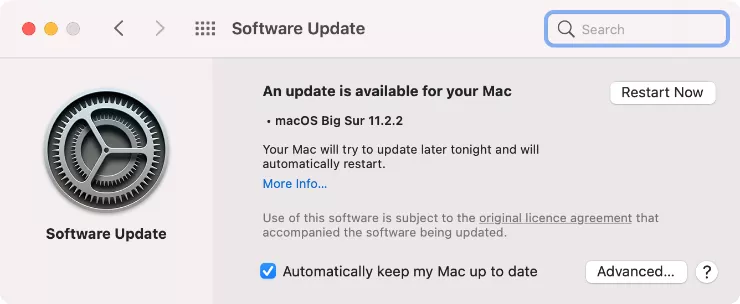
3. Check for available macOS updates
The System Preferences will appear and search for new macOS updates. If it finds any, click Update Now to download and install that update. If the update is already downloaded, click Restart Now to install it instead
It could take anywhere between five minutes and five hours to download and install a new software update for your Mac, depending on the size of the update and the speed of your internet connection.
When the update is downloaded, your Mac will prompt you to Restart so it can install the update.
Total 1 Votes:
0
1