
Domain / Email Password reset via SysAid Self-service
You can now change or reset your Domain/Email password (when your password has been forgotten or expired) and Unlock your Account (Note: Your domain/email account will be locked out when the wrong password has been tried severally-5 times) via the Sysaid platform.
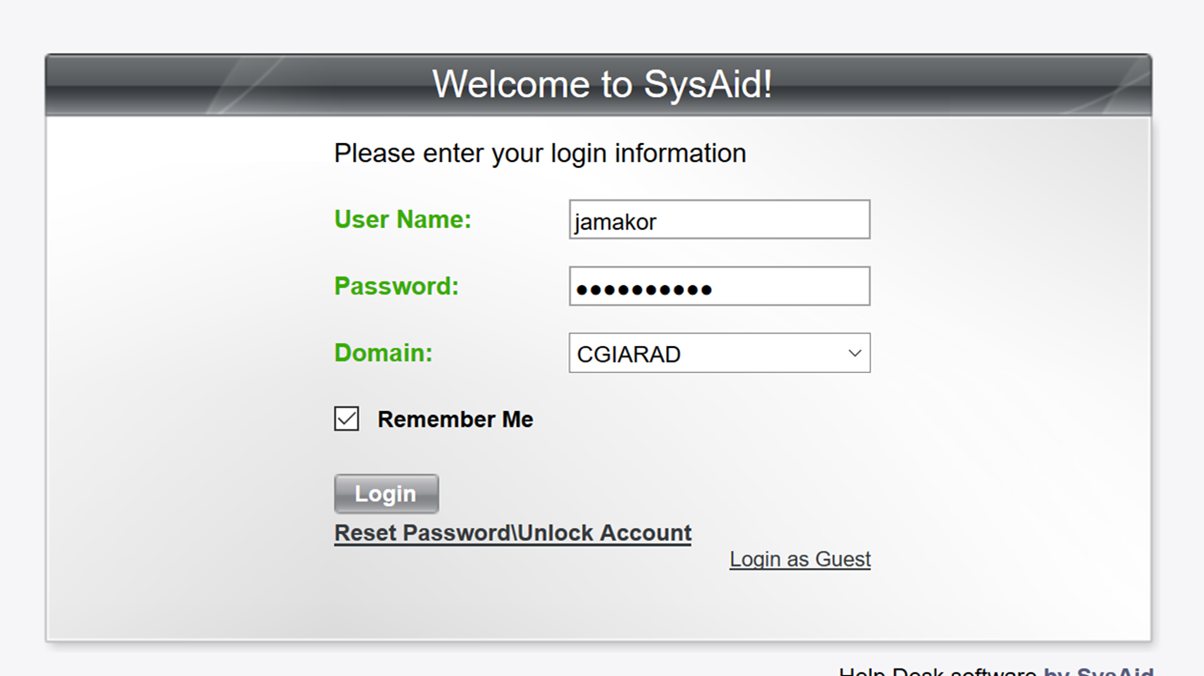
Kindly visit http://sysaid.iita.org and login with your domain username and password as shown below;
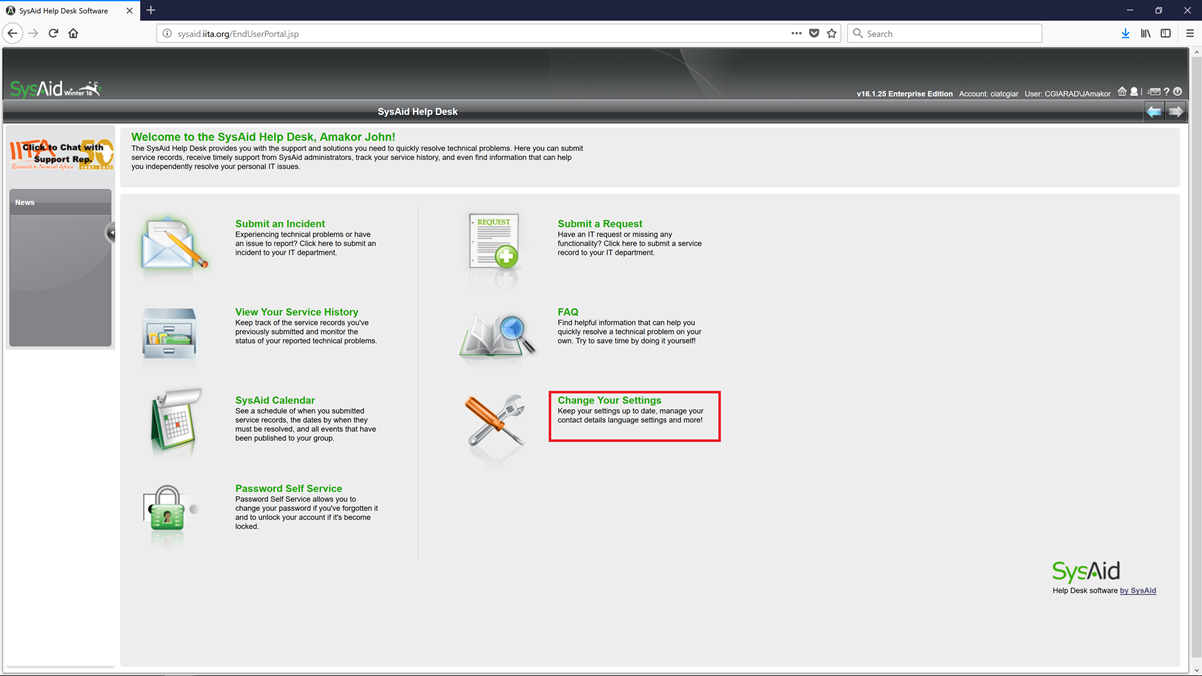
Click on “Change Your Setting”
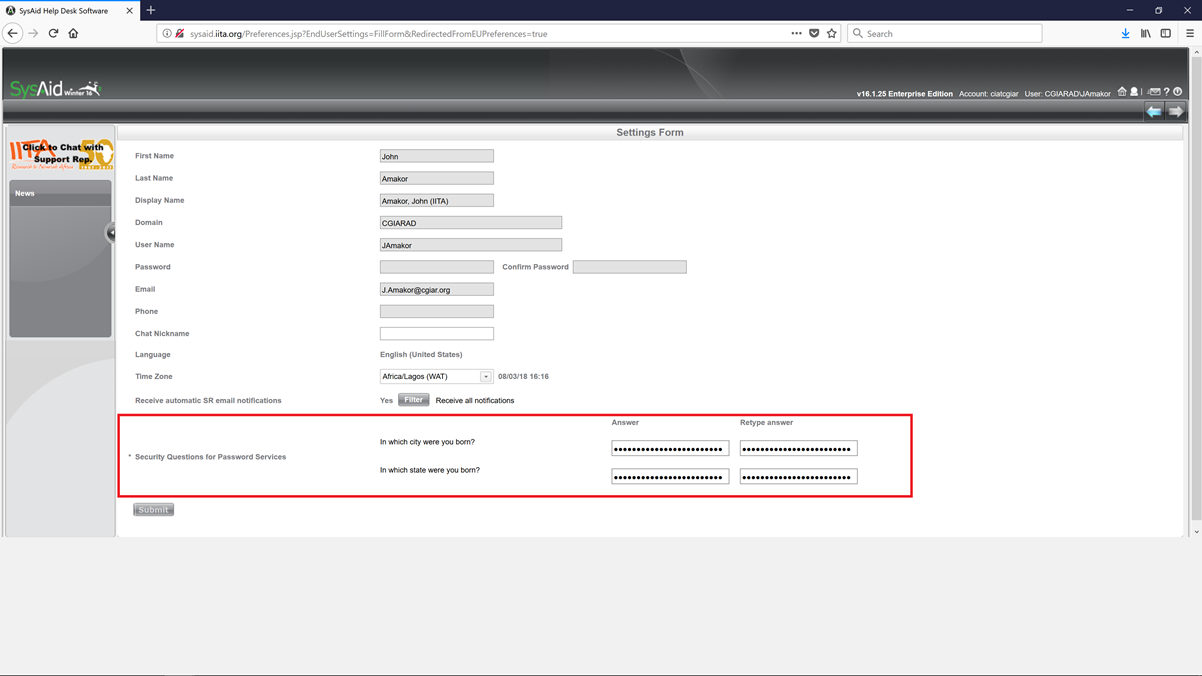
Provide answers to the “Security Questions for Password Services” and click on submit
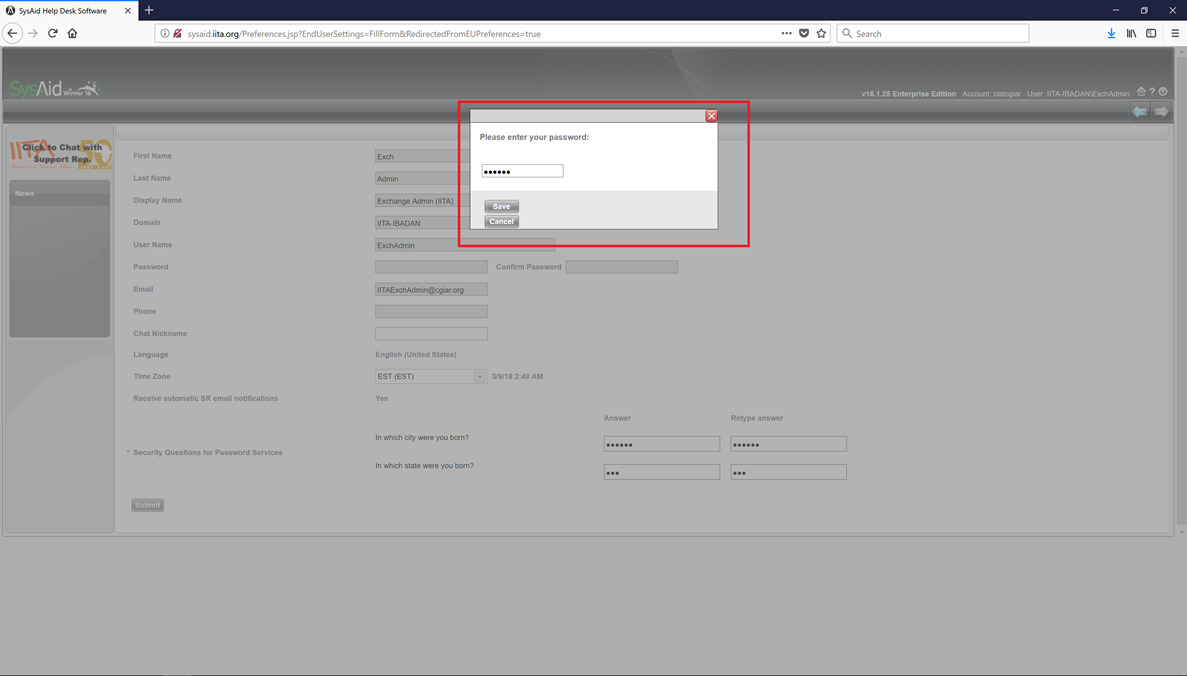
A popup window will require you to input your domain password and click on Save.
Click on the Home icon on the top right corner to return to the home page.
To subsequently change your Domain/Email Password or to Unlock Account
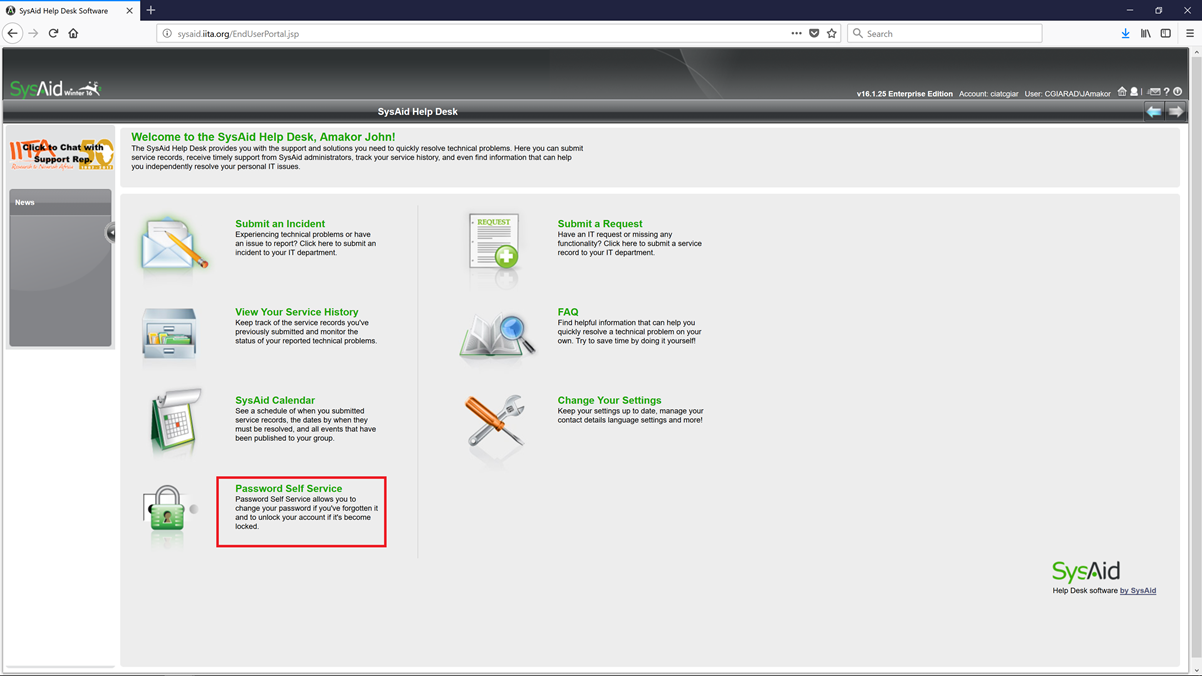
Click on “Password Self Service”
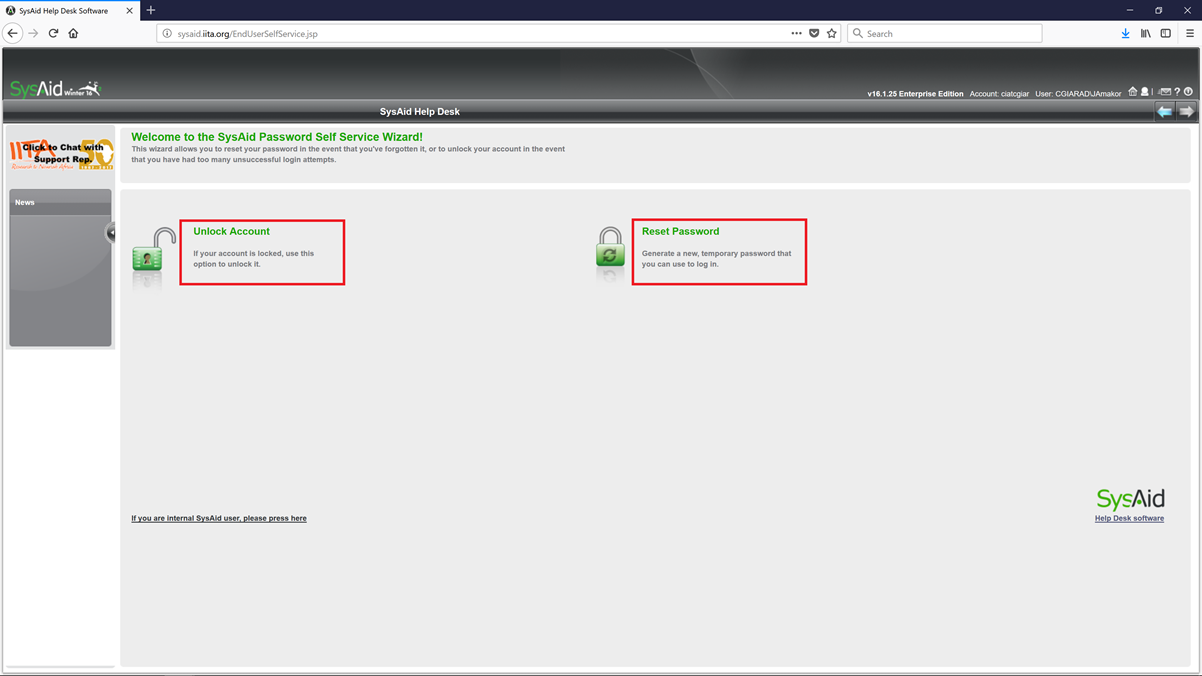
Click on “Unlock Account” to unlock your account or “Reset Password” to change your password.
Fill in your username and select your domain (CGIARAD) and click on continue. 
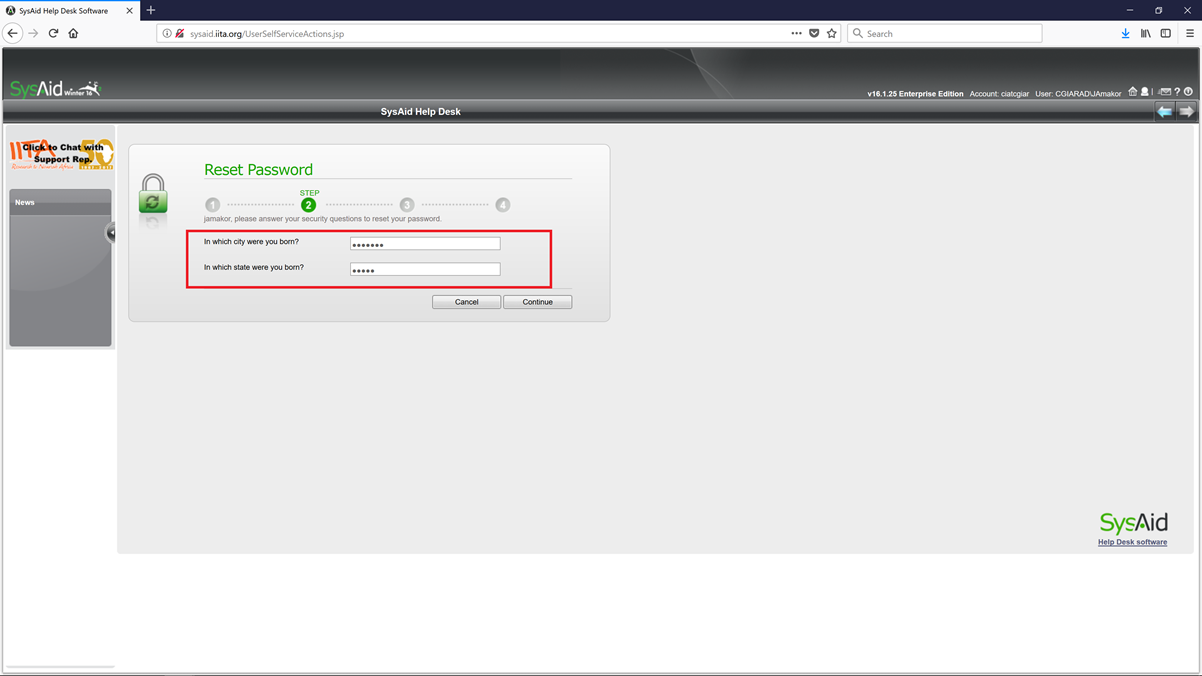
Provide the answers to the security questions and click on continue.
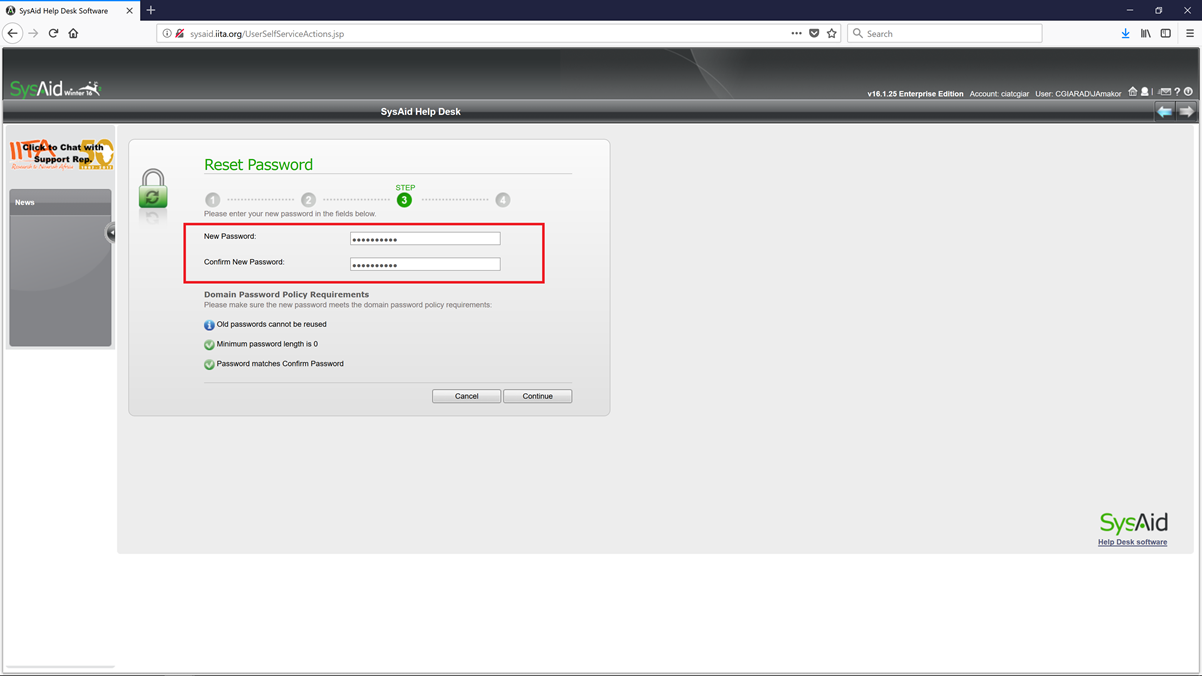
Fill in your New Password and Confirm New Password and click on continue to change your password.
Voilà!, your password has been successfully changed.
