
Alt+Tab Between Virtual Desktops on Windows 10
Microsoft Windows 10 provides multi desktop function or also known as virtual desktops. What this can is provide you with is more room for open windows. Now toggling between them is the key and if you’re like me, I like to use the keyboard shortcut command Alt+Tab to switch between screens instead of using my mouse. With this new multi-desktop function you are able to Alt+Tab between desktops, but it is not turned on by default.
To turn this feature of Windows 10 on so you can switch between desktops please follow the steps below.
- Click on start menu button and then select “Settings”
- Once “Settings” has been opened, click on “System”
- Find the option for “Multitasking”
- Underneath “Virtual Desktops” there is a drop down underneath “Pressing Alt+Tab shows windows that open”. Select it, and select “All desktops”
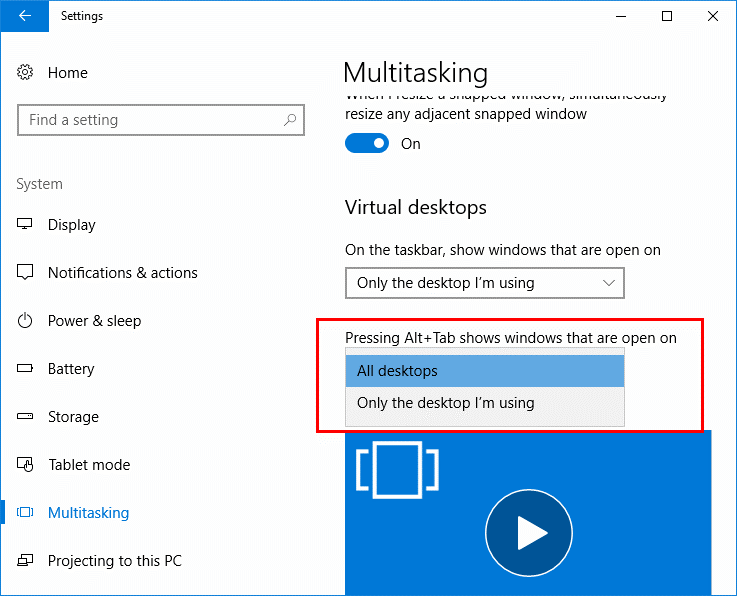
This will allow you to Alt+Tab between applications on different desktops you have opened up.
262 Windows, Windows 10
Total 0 Votes:
0
0